Practice — a First-Person Controller
We'll build a minimal FPS character with movement, jumping, and raycast shooting.
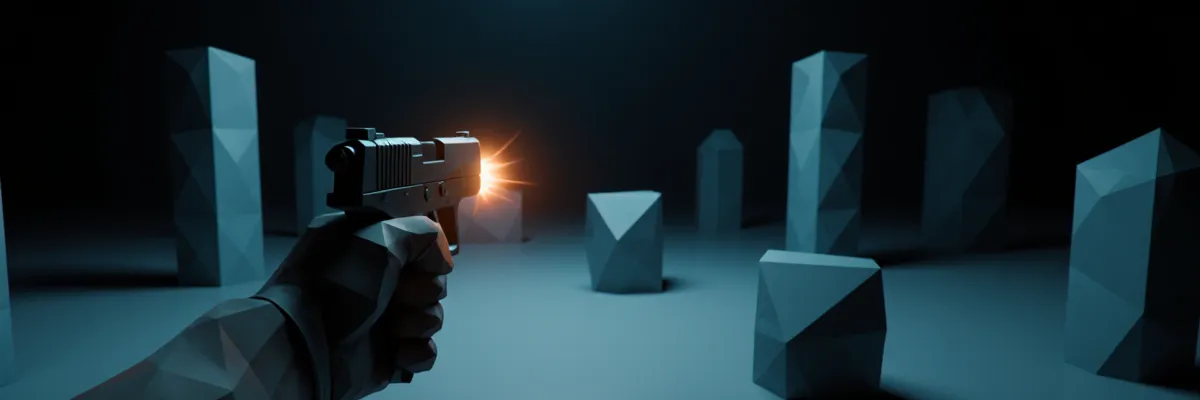
Let’s put it all together. The goal is a playable first-person character: walking, head rotation, jumping,
shooting a ray at targets. We use CharacterController for predictable control.
Scene hierarchy
Player                      ← CharacterController + our PlayerController.cs
└── CameraPivot             ← empty Transform, the camera's rotation point
    └── Main Camera         ← Camera + AudioListener
        └── GunMuzzle       ← empty Transform for the ray and effects
Why exactly like this:
Playerrotates horizontally (yaw) — this also affects the movement direction.CameraPivotrotates vertically (pitch) — separately from the body.- This separation simplifies the physics: the player’s collider doesn’t tilt when you look at the sky.
Player.cs — movement and looking
using UnityEngine;
using UnityEngine.InputSystem;

[RequireComponent(typeof(CharacterController))]
public class Player : MonoBehaviour
{
    [Header("Movement")]
    [SerializeField] private float moveSpeed = 5f;
    [SerializeField] private float jumpHeight = 1.2f;
    [SerializeField] private float gravity = -20f;

    [Header("Look")]
    [SerializeField] private Transform cameraPivot;
    [SerializeField] private float lookSensitivity = 0.15f;
    [SerializeField] private float maxPitch = 85f;

    [Header("Gun")]
    [SerializeField] private Transform gunMuzzle;
    [SerializeField] private float fireRange = 100f;
    [SerializeField] private LayerMask hitMask = ~0;

    [SerializeField] private GameObject impactPrefab;

    private CharacterController _cc;
    private Camera _camera;
    private Vector3 _velocity;
    private Vector2 _moveInput;
    private Vector2 _lookInput;
    private float _pitch;
    private bool _jumpRequested;
    private bool _fireRequested;

    private void Awake() {
        _cc = GetComponent<CharacterController>();
        _camera = cameraPivot.GetComponentInChildren<Camera>();
        Cursor.lockState = CursorLockMode.Locked;
        Cursor.visible = false;
    }

    // Hooked up through the PlayerInput component (Behavior: Invoke Unity Events).
    // Send Messages passes the value directly (for example, a Vector2) — there the signature would be different.
    public void OnMove(InputAction.CallbackContext ctx)  => _moveInput = ctx.ReadValue<Vector2>();
    public void OnLook(InputAction.CallbackContext ctx)  => _lookInput = ctx.ReadValue<Vector2>();
    public void OnJump(InputAction.CallbackContext ctx)  { if (ctx.performed) _jumpRequested = true; }
    public void OnFire(InputAction.CallbackContext ctx)  { if (ctx.performed) _fireRequested = true; }

    private void Update() {
        ApplyLook();
        ApplyMove();
        if (_fireRequested) { Fire(); _fireRequested = false; }
    }

    private void ApplyLook() {
        // Yaw — body rotation
        transform.Rotate(Vector3.up, _lookInput.x * lookSensitivity);

        // Pitch — camera rotation (separate), with a clamp
        _pitch -= _lookInput.y * lookSensitivity;
        _pitch = Mathf.Clamp(_pitch, -maxPitch, maxPitch);
        cameraPivot.localRotation = Quaternion.Euler(_pitch, 0, 0);
    }

    private void ApplyMove() {
        // Local direction: forward/back + right/left relative to the player
        Vector3 dir = transform.right * _moveInput.x + transform.forward * _moveInput.y;
        Vector3 horizontal = dir * moveSpeed;

        // Gravity and jump
        if (_cc.isGrounded) {
            if (_velocity.y < 0) _velocity.y = -2f; // "pressing" against the ground
            if (_jumpRequested) {
                // Standard formula: v = sqrt(-2 * g * h)
                _velocity.y = Mathf.Sqrt(-2f * gravity * jumpHeight);
                _jumpRequested = false;
            }
        } else {
            _jumpRequested = false;
        }
        _velocity.y += gravity * Time.deltaTime;

        Vector3 motion = (horizontal + new Vector3(0, _velocity.y, 0)) * Time.deltaTime;
        _cc.Move(motion);
    }

    private void Fire() {
        // The ray comes from the center of the camera, not from the muzzle — that way shooting is more accurate toward where the player is looking
        var ray = new Ray(_camera.transform.position, _camera.transform.forward);

        if (Physics.Raycast(ray, out RaycastHit hit, fireRange, hitMask)) {
            Debug.DrawLine(ray.origin, hit.point, Color.red, 1f);

            // Apply damage if it's an object with a Health component
            if (hit.collider.TryGetComponent<Health>(out var health)) {
                health.TakeDamage(10);
            }

            // Impact effect
            if (impactPrefab != null) {
                Instantiate(impactPrefab, hit.point, Quaternion.LookRotation(hit.normal));
            }
        }
    }
}
Health.cs — the damage receiver
using UnityEngine;
using UnityEngine.Events;

public class Health : MonoBehaviour
{
    [SerializeField] private int max = 100;
    [SerializeField] private UnityEvent onDied;

    private int _current;

    private void Awake() => _current = max;

    public void TakeDamage(int amount) {
        if (_current <= 0) return;
        _current = Mathf.Max(0, _current - amount);
        if (_current == 0) onDied?.Invoke();
    }
}
Setup in the editor
- Player GameObject: a Capsule, delete the MeshFilter+MeshRenderer (or hide them) — it’s an
“invisible” controller. Add a
CharacterController(Center.y = 1, Height = 2, Radius = 0.4). - CameraPivot: an empty child at Y = 1.7 (eye height).
- Main Camera: child of CameraPivot, local position (0, 0, 0).
- GunMuzzle: child of Main Camera, locally (0.3, -0.2, 0.5) — roughly “from the right hand.”
- On Player add a
PlayerInput(Input System): create an Action Asset with Actions: Move (Vector2, WASD composite), Look (Vector2, mouse delta), Jump (button, Space), Fire (button, Mouse left). - In PlayerInput → Behavior: Invoke Unity Events. In each event, hook up the corresponding
methods
OnMove,OnLook,OnJump,OnFire.
Test scene
- Plane at Y = 0 — the floor.
- A few
Cubes with aHealthcomponent (as targets). - A Directional Light positioned to provide proper lighting.
Hit Play — it should walk, jump, and shoot. About once every ~10 shots, one of the targets
disappears (for onDied.Invoke() hook up Destroy via a UnityEvent).
What to improve next
- Sprint — a bool input + a speed multiplier.
- Footstep audio — via an Animation Event or a timer based on speed.
- Coyote time — a small window (0.1 s) during which you can still jump after leaving a ledge. It noticeably improves the feel of the controls.
- Jump buffering — remember a
Jumppressed slightly before landing, so the jump doesn’t “get lost.” - Camera bobbing — a slight camera sway while walking (a sinusoidal offset of the CameraPivot).
- Reload, Magazine, Ammo HUD — the next iteration.
- Cinemachine FreeLook for third person — replacing the manual MouseLook.
Open Window → Analysis → Profiler at this stage already. See where time is spent.
CharacterController.Move usually costs little, but if you’re accidentally calling GetComponent in
Update — you’ll see it. Camera.main has been cached internally since Unity 2020.2 (it doesn’t scan the scene on every
call), but there’s still some access overhead — it’s better to store the reference in Awake anyway.
In the next chapter — optimization and building the project.