Practice — a First-Person Controller
CharacterBody3D, move_and_slide, RayCast3D — a playable FPS skeleton.
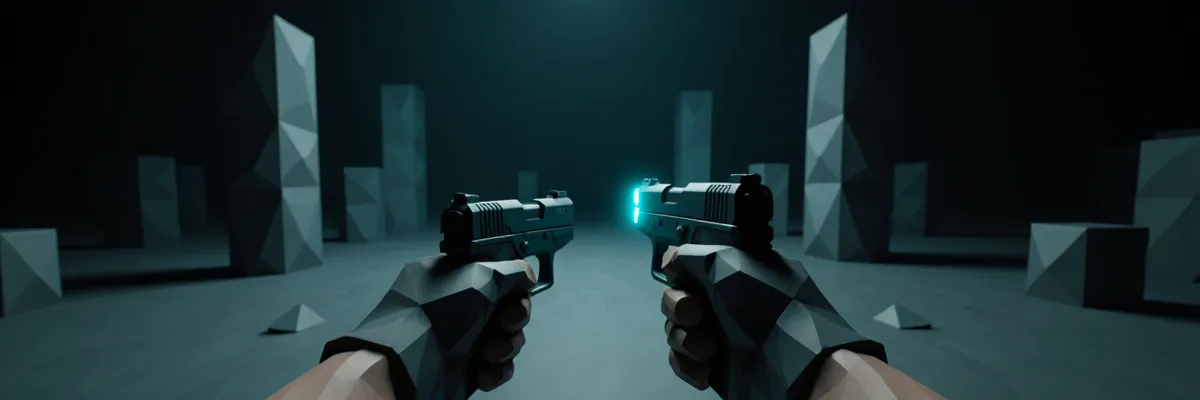
We are building a playable FPS character: it walks, looks with the mouse, jumps, and shoots a ray.
We use CharacterBody3D (an analog of Unity’s CharacterController, but with a more feature-rich
move_and_slide).
Scene Hierarchy
Player (CharacterBody3D)            ← player.gd script
├── CollisionShape3D                ← shape: CapsuleShape3D (height=2, radius=0.4)
├── MeshInstance3D (optional)       ← visual mesh (often hidden in FPS — we don't see ourselves)
└── Head (Node3D)                   ← at eye height, for example y=1.7
    └── Camera3D                    ← current = true, fov = 75
        └── AimRay (RayCast3D)      ← target_position = (0, 0, -100)
The Head ↔ Player split matters: yaw (horizontal rotation) is applied to the Player (it turns the whole body and the movement direction), while pitch (vertical) is applied only to the Head (so the collider does not tilt).
Input Map
In Project Settings → Input Map create:
move_forward(W, ↑)move_back(S, ↓)move_left(A, ←)move_right(D, →)jump(Space)fire(Mouse Left)ui_cancel(Escape) — usually present by default
player.gd — the Main Script
extends CharacterBody3D

@export_group("Movement")
@export var speed: float = 5.5
@export var jump_velocity: float = 5.0

@export_group("Look")
@export var sensitivity: float = 0.0025
@export var max_pitch: float = 1.45

@export_group("Combat")
@export var fire_damage: int = 10
@export var impact_scene: PackedScene  # impact effect (optional)

@onready var head: Node3D = $Head
@onready var camera: Camera3D = $Head/Camera3D
@onready var aim_ray: RayCast3D = $Head/Camera3D/AimRay

func _ready() -> void:
    Input.mouse_mode = Input.MOUSE_MODE_CAPTURED

func _unhandled_input(event: InputEvent) -> void:
    if event.is_action_pressed("ui_cancel"):
        Input.mouse_mode = (
            Input.MOUSE_MODE_VISIBLE
            if Input.mouse_mode == Input.MOUSE_MODE_CAPTURED
            else Input.MOUSE_MODE_CAPTURED
        )

    if event is InputEventMouseMotion and Input.mouse_mode == Input.MOUSE_MODE_CAPTURED:
        rotate_y(-event.relative.x * sensitivity)
        head.rotate_x(-event.relative.y * sensitivity)
        head.rotation.x = clamp(head.rotation.x, -max_pitch, max_pitch)

    if event.is_action_pressed("fire") and Input.mouse_mode == Input.MOUSE_MODE_CAPTURED:
        fire()

func _physics_process(delta: float) -> void:
    apply_gravity(delta)
    handle_jump()
    handle_move()
    move_and_slide()

func apply_gravity(delta: float) -> void:
    if not is_on_floor():
        velocity += get_gravity() * delta

func handle_jump() -> void:
    if Input.is_action_just_pressed("jump") and is_on_floor():
        velocity.y = jump_velocity

func handle_move() -> void:
    var input_dir := Input.get_vector("move_left", "move_right", "move_forward", "move_back")
    var direction := (transform.basis * Vector3(input_dir.x, 0, input_dir.y)).normalized()

    if direction:
        velocity.x = direction.x * speed
        velocity.z = direction.z * speed
    else:
        velocity.x = move_toward(velocity.x, 0, speed)
        velocity.z = move_toward(velocity.z, 0, speed)

func fire() -> void:
    aim_ray.force_raycast_update()  # force an update within the frame
    if not aim_ray.is_colliding():
        return

    var hit = aim_ray.get_collider()
    var hit_point = aim_ray.get_collision_point()
    var hit_normal = aim_ray.get_collision_normal()

    # Deal damage if the method exists
    if hit.has_method("take_damage"):
        hit.take_damage(fire_damage)

    # Impact effect (optional)
    if impact_scene:
        var impact = impact_scene.instantiate()
        impact.global_position = hit_point
        impact.look_at(hit_point + hit_normal, Vector3.UP)
        get_tree().current_scene.add_child(impact)
get_gravity() returns Vector3(0, -9.8, 0) by default (configured in Project Settings →
Physics → 3D). This is convenient: a single place controls the gravity for the entire game, and a
change applies to all bodies.
health.gd — the Damage Receiver
A simple health component on any node:
class_name Health extends Node

signal damaged(amount: int)
signal died

@export var max_hp: int = 100
var hp: int

func _ready() -> void:
    hp = max_hp

func take_damage(amount: int) -> void:
    if hp <= 0:
        return
    hp = max(0, hp - amount)
    damaged.emit(amount)
    if hp == 0:
        died.emit()
How to use it: add Health as a child node of the enemy, and in the enemy’s take_damage
handler delegate to it:
# enemy.gd on the enemy's root
extends StaticBody3D

@onready var health: Health = $Health

func _ready() -> void:
    health.died.connect(_on_died)

func take_damage(amount: int) -> void:
    health.take_damage(amount)

func _on_died() -> void:
    queue_free()
Then aim_ray.get_collider().has_method("take_damage") will work — the Enemy node has the method.
Test Scene
Build a minimal level:
- Ground —
StaticBody3D+CollisionShape3D(BoxShape3D 50×0.1×50) +MeshInstance3D(PlaneMesh) for the visual. - Walls — several StaticBody3D cubes around the perimeter.
- Targets — 5–10 StaticBody3D with the
enemy.gdcomponent and aHealthchild. - DirectionalLight3D — the main light,
light_energy = 1.0, shadows enabled. - WorldEnvironment — with ambient light and a sky.
- Player.tscn — instantiate it in the scene.
Run it (F5) — it should walk, jump, look with the mouse, and fire on left click.
What to Improve
- Crouch — crouching: reduce the collider height and lower the camera.
- Sprint — the Shift key + a speed multiplier.
- Headbob — a slight camera bob while walking (
head.position.y = sin(time * walk_freq) * walk_amp). - Footstep audio — an AudioStreamPlayer3D on the Player node, played while moving on the floor.
- Recoil — a slight upward camera impulse when firing, via animation or code.
- Reload, Magazine, Ammo HUD — the next iteration with UI.
- Coyote time / jump buffer — as in the Unity TPS practice, so the jump feels “forgiving.”
- Animator — an
AnimationTreewith a state machine for weapon animations.
Compare it with the FPS controller from the Unity chapter: similar functionality, but in Godot it
is shorter thanks to move_and_slide, the built-in RayCast3D, and the Input Map. This is typical
for Godot — a skeleton comes together quickly.
The next chapter covers Navigation (NavigationServer3D, NavigationAgent3D).